When a voter account should no longer be active, they can be disabled from the Voter Maintenance list are by clicking on the red person icon as seen below: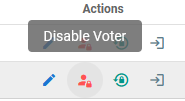
This action will then hide the voter from the default vue and the icon on their account will change to yellow as seen below: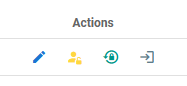
If by chance the account needs to be activated again, they can be found by adjusting the filter to display disabled accounts: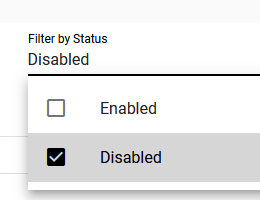
Followed by clicking on the yellow person icon which will enable to account again.
Note: Accounts cannot be deleted as this action would also delete any nominations or votes cast by that user.
Was this article helpful?
That’s Great!
Thank you for your feedback
Sorry! We couldn't be helpful
Thank you for your feedback
Feedback sent
We appreciate your effort and will try to fix the article