From within the Voter Maintenance section, there is the ability to set a temporary password for any voter account. This can be very helpful if the voter forgot to setup their account within the original 48 hour time frame or if they simply are having issues logging in.
To create a temporary password, navigate to their entry in the Voter Maintenance area and click on the following icon: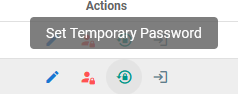
This will bring a window where you can enter the new password.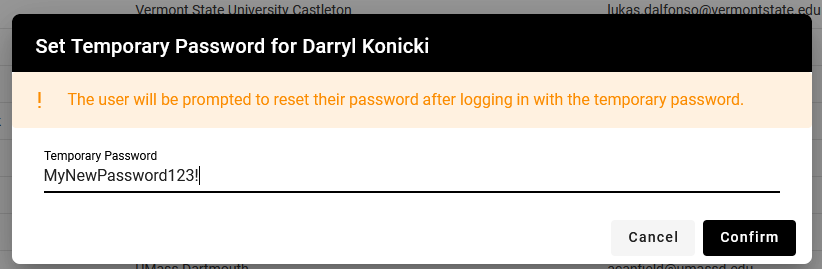
Note: All passwords are requiring to be eight characters long and contain at least one number, capital letter and special character. We have used the above as an example of the proper format.
After hitting confirm, you will want to send this password to the voter, who will then use their e-mail with it to login. Once logging in, they will be prompted to create a new permanent password.
Note: Setting a temporary password will not send a notice to the user, so you will need to contact them directly. This was done for situations where the user is having issues receiving the initial e-mail due to campus restrictions.
Was this article helpful?
That’s Great!
Thank you for your feedback
Sorry! We couldn't be helpful
Thank you for your feedback
Feedback sent
We appreciate your effort and will try to fix the article