Push Notifications can be sent out by navigating to Mobile App Settings>Mobile App>Push Notification Scheduler.
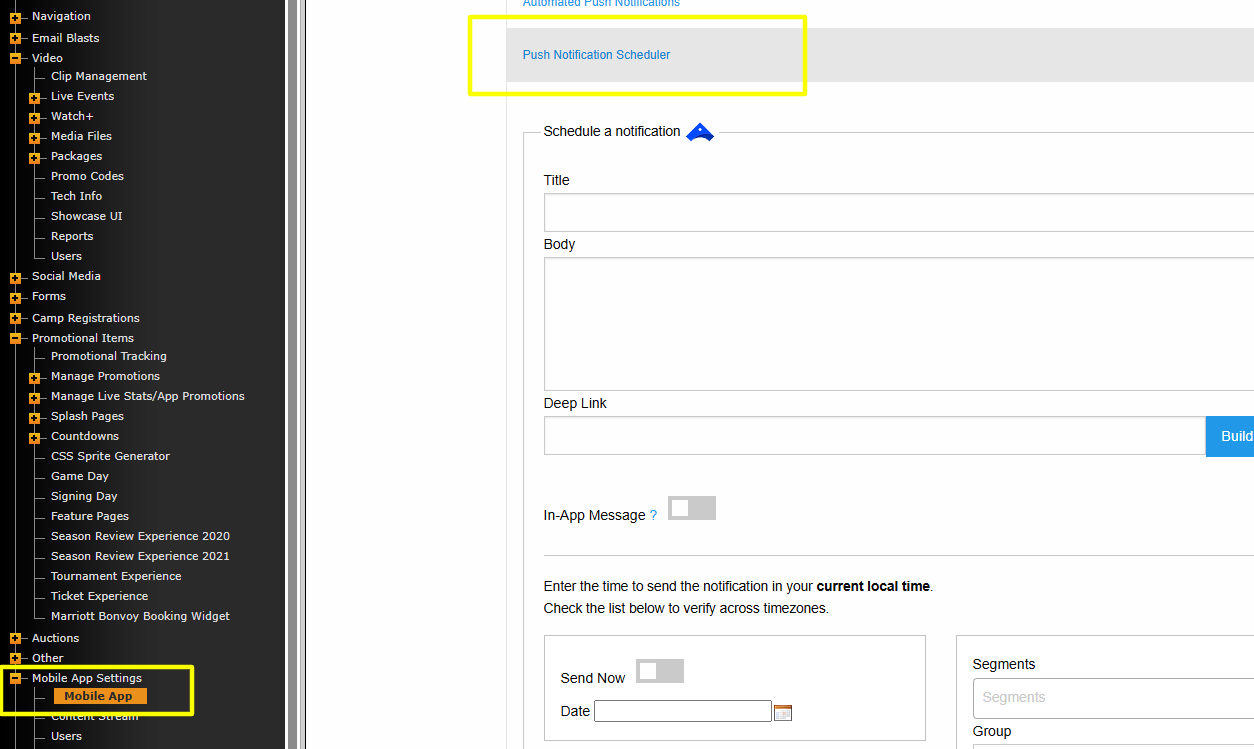
Schedule a notification
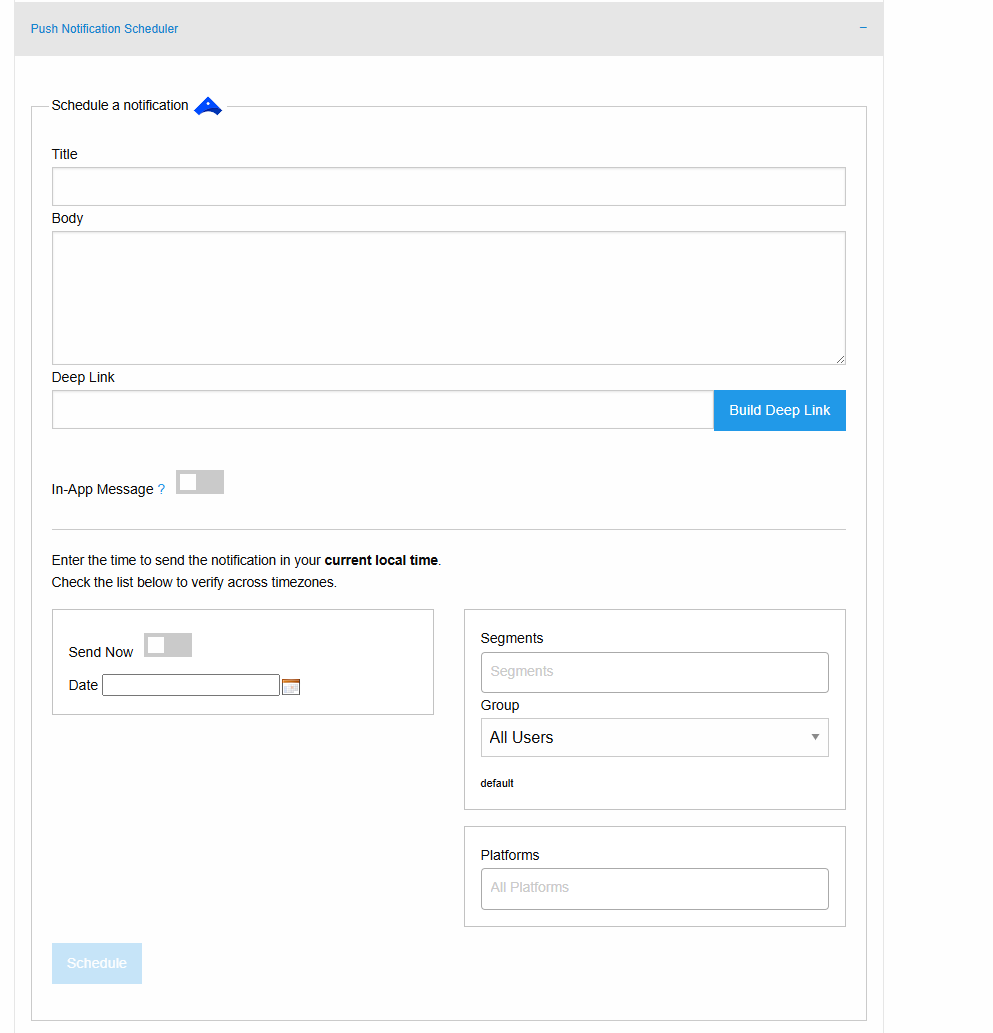
Use this area to send out manual push notifications to users.
This area should be used for notifications other than the Automated Push Notifications for Game Start/Game End.
The Title will display when the user receives the notification on their phone.
The Body will appear below the Title.
Deep Link is used for linking the notification to a url, if needed.
In-App Message makes the notification appears for users only when opening the app, instead of users receiving it as a standard notification.
You have a few options to decide who you want to send the notification to.
Segments allows you to target users based on the category they selected when initially onboarding into the Mobile App. The segments typically include Fans, Alumni, Students, etc.
*you must be on the latest version of the app to utilize specific features such as Segments and In-App Message.
The Group dropdown is used to send notifications to All Users or to target users who have signed up for a specific sport and that have opted into Sport News/Game Start/Game End specifically.
Platforms allows you to target iOS, Android, or both. The Web option only works if your site has custom web notifications functionality.
You can choose to Send Now to send the notification immediately, or use the Date field to set the specific date/time that you want the notification to be pushed out. Once set, you'll also see the notification push time in other time zones.
With all of your information entered, you can click Schedule to send the notification.
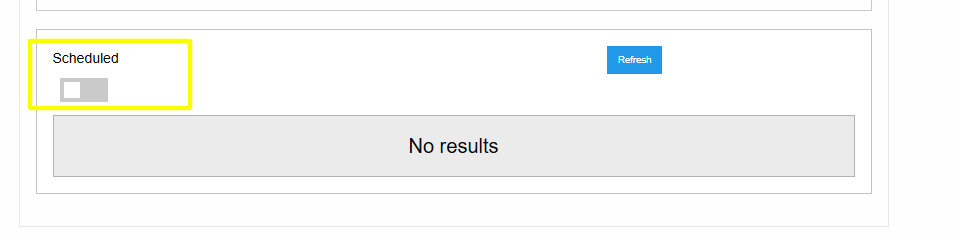
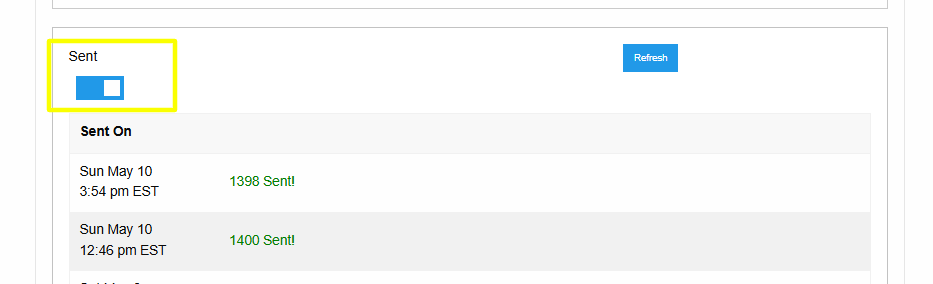
At the bottom of the Schedule a notification section you'll see a running list of your scheduled notification. You can toggle between Scheduled and Sent to view the corresponding notifications schedule/history.
Was this article helpful?
That’s Great!
Thank you for your feedback
Sorry! We couldn't be helpful
Thank you for your feedback
Feedback sent
We appreciate your effort and will try to fix the article