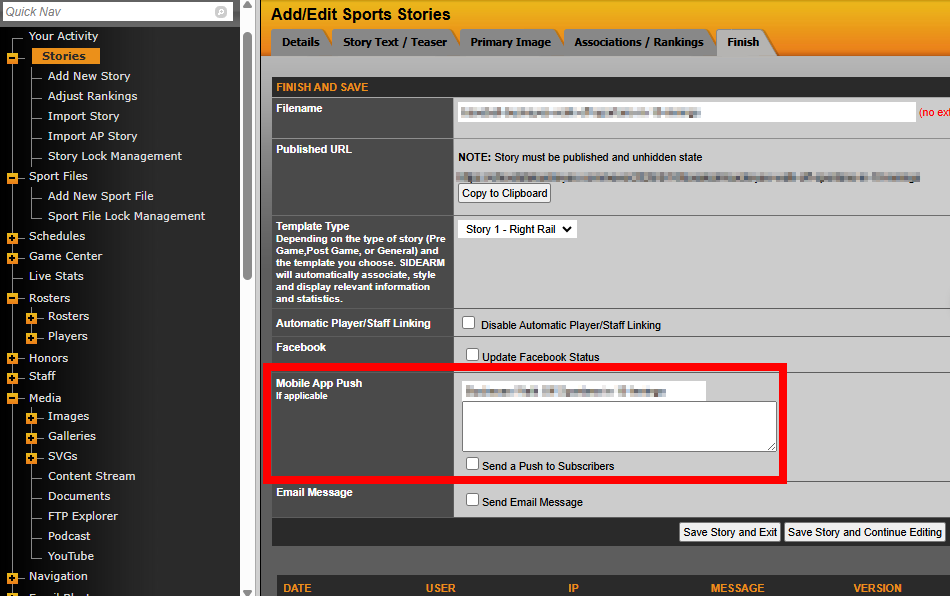
When you finish adding or editing a story, you can send a mobile push notification using the Mobile App Push option in the Finish section.
Once enabled, the notification will be sent immediately after you click Save Story.
The story title will automatically populate the Title field, and you can customize the message in the Body field.
Before saving, make sure to check the Send a Push to Subscribers box, as it is unchecked by default.
This will send the notification out to all users who have signed up to receive News notifications for the specific primary Sport that the Story has been assigned to.
Was this article helpful?
That’s Great!
Thank you for your feedback
Sorry! We couldn't be helpful
Thank you for your feedback
Feedback sent
We appreciate your effort and will try to fix the article