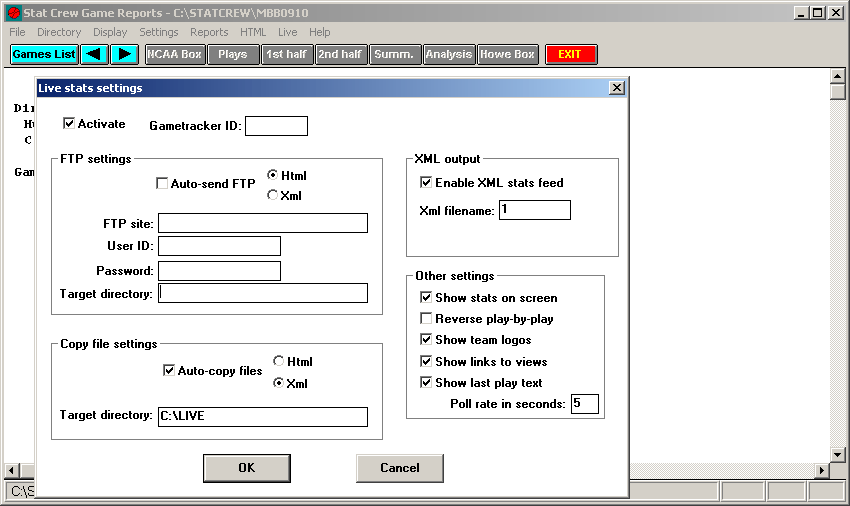
Directions for setting up XML Live Stats using SIDEARM FTP:
- Make sure Auto-Send FTP is NOT be checked.
- Auto-Copy should be checked.
- XML should be selected in the radio buttons to the right.
- Target Directory is C:\LIVE
- In the area to the right, make sure Enable XML has been checked and that the number 1 is placed in the box below.
Here is a screenshot of how your setup should look:
Was this article helpful?
That’s Great!
Thank you for your feedback
Sorry! We couldn't be helpful
Thank you for your feedback
Feedback sent
We appreciate your effort and will try to fix the article