You Ad Inventory in your app depends on which version of the app you currently have. If you are unsure of what version of the app you have, please reach out to support@sidearmsports.com.
Below, you can download the Ad Specs documents for your specified version of the app.
NextGen SIDEARM App With Game Center Ad Deck (version 181.1.0+)
NextGen SIDEARM App(no Game Center) Ad Deck (Controlled via Ad Ops)
NextGen SIDEARM App(no Game Center) Ad Deck (Controlled via CMS)
For Ads that are managed by the Ad Ops team, you can submit those to adops@learfield.com.
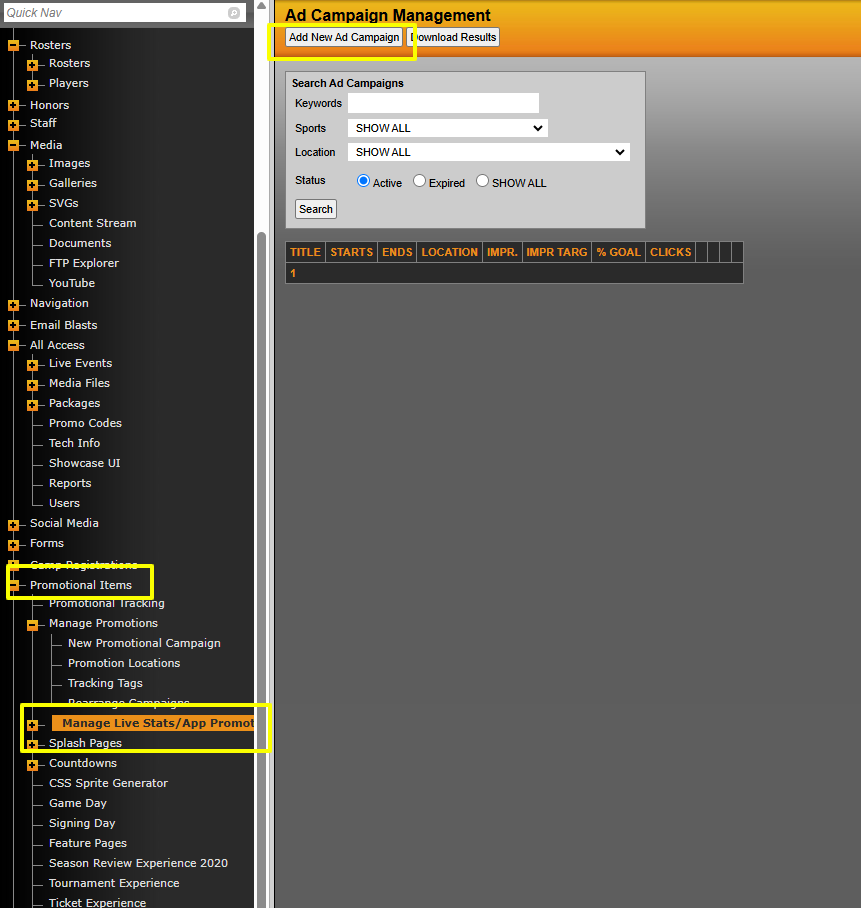
For App ads that are managed via the cms, those ads are managed under Promotional Items>Manage Live Stats/App Promotions section in the cms.
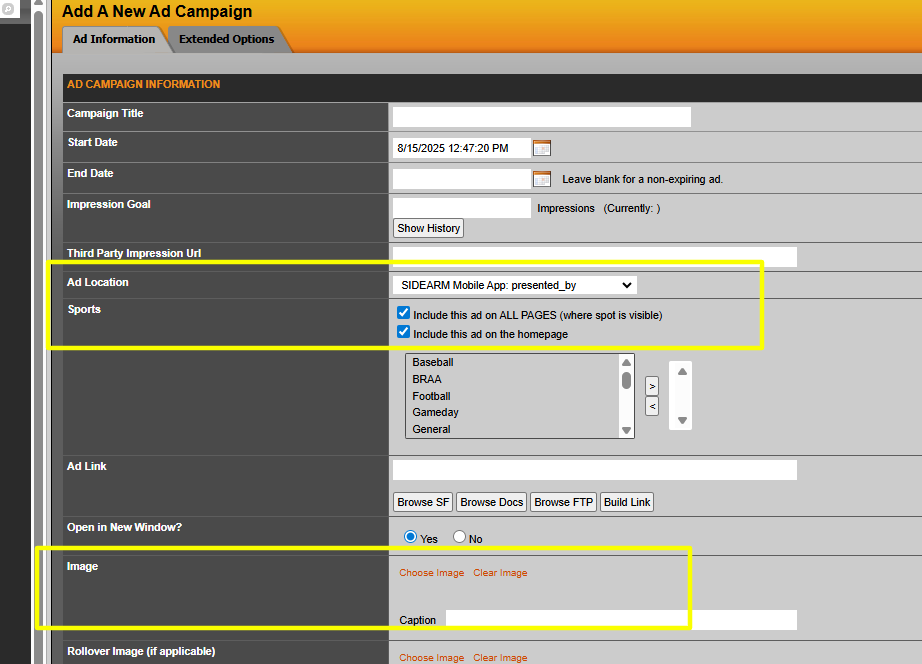
The above documents highlights all available ad spaces within the app and their corresponding location name, that you can use when setting them up in the cms. For example, in the document you will see the ad at the top of the app is the Location called SIDEARM Mobile App: Presented_by
So you can go under that section and place those ads using the specific locations from that ad doc.
Was this article helpful?
That’s Great!
Thank you for your feedback
Sorry! We couldn't be helpful
Thank you for your feedback
Feedback sent
We appreciate your effort and will try to fix the article