All stat groups are added globally into the voting platform, which means there will be many options that might not apply to your specific conference. In these instances, you can easily turn off any specific stats that you do not plan to use in your voting portal.
To do this, head to the Edit Stat Groups section from the menu and choose a sport followed by the specific stat group you wish to edit.
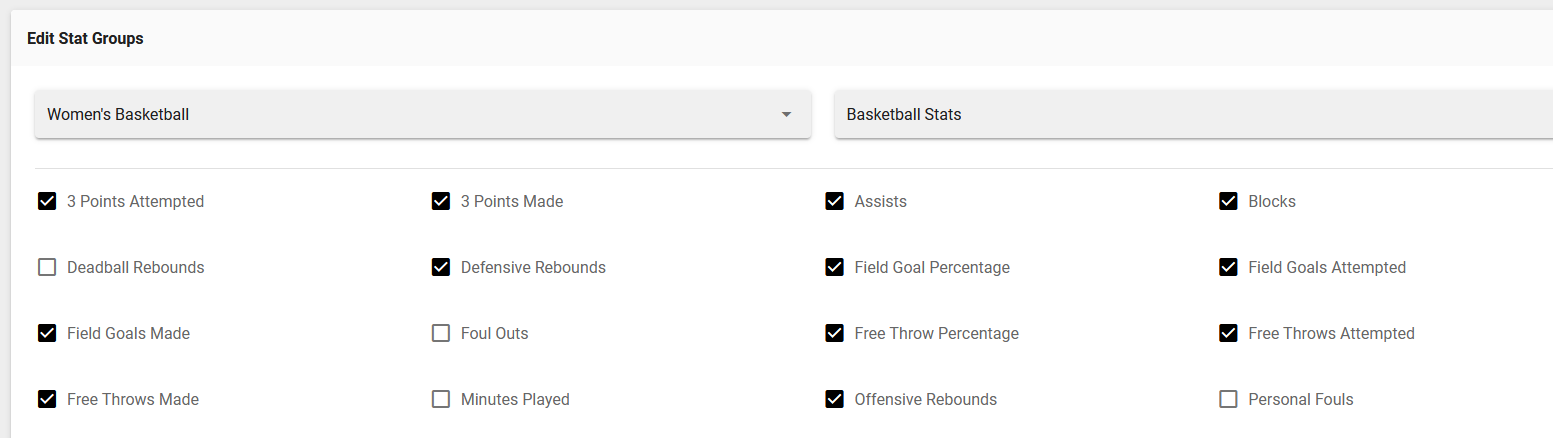
For any stat that you want to disable, uncheck the box to the left of the name. This will then remove it from appearing on the ballot.
Note: Stats can be disable and enabled at any point and as many times as needed, so if you wish to use one previously disabled, just click on the check box and it will appear in the ballot immediately, even if its actively in the voting phase.
Was this article helpful?
That’s Great!
Thank you for your feedback
Sorry! We couldn't be helpful
Thank you for your feedback
Feedback sent
We appreciate your effort and will try to fix the article