Top-Level Navigation is what users see at the header of your website that can either have a dropdown or link directly to a source:
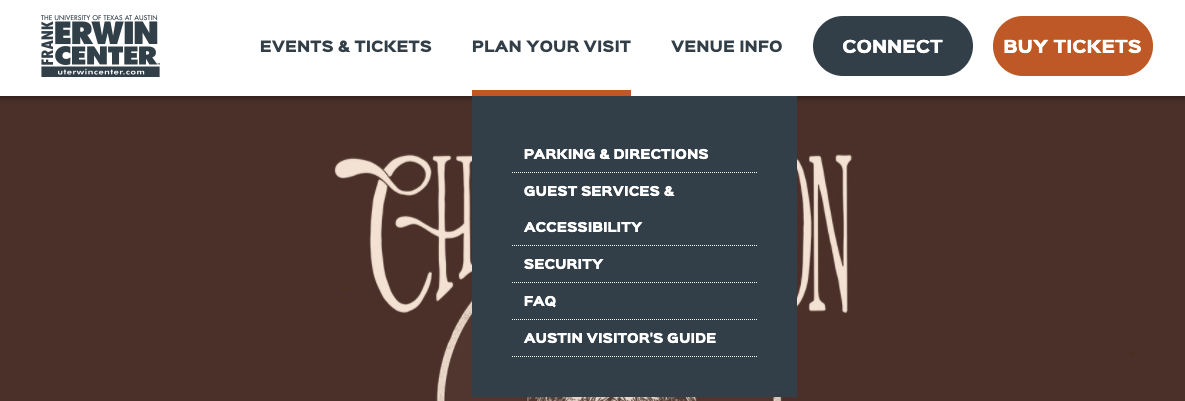
In this example, Erwin Center's "Top-Level" Navigation includes Events & Tickets, Plan Your Visit, Venue Info, Connect, and Buy Tickets.
If the titles, order or additional navigation items needed to be added, go to Navigation > Top-Level Items in the back-end:

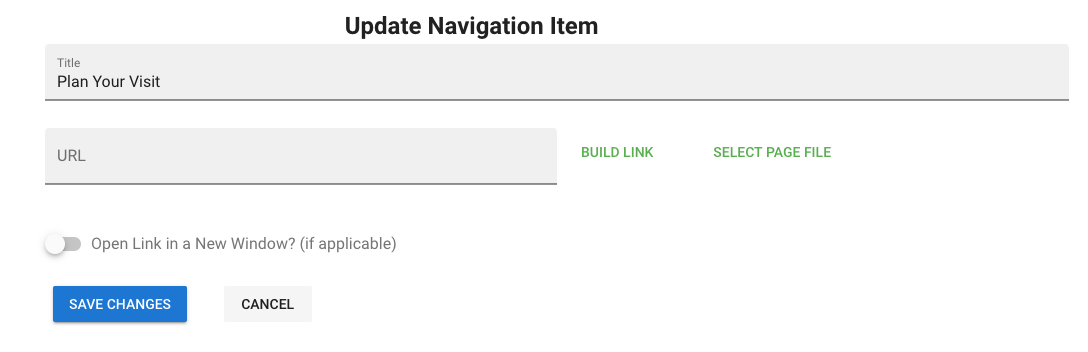
Once you edit a top-level navigation item make sure to give it a title and if it needs to directly link out to a source rather than have a dropdown, set a URL (and you have option to open in a new window if it's going to direct a user away from site).
Was this article helpful?
That’s Great!
Thank you for your feedback
Sorry! We couldn't be helpful
Thank you for your feedback
Feedback sent
We appreciate your effort and will try to fix the article