One time saver piece within the schedules functionality is the Quick Load / Edit item. Here, you can edit information for all of your games in a season in a single screen.
To access this area, edit a schedule and go to the Quick Load / Edit tab. In the Batch Edit Grouping drop down, you will have four options:
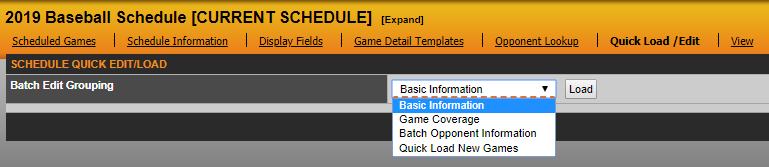
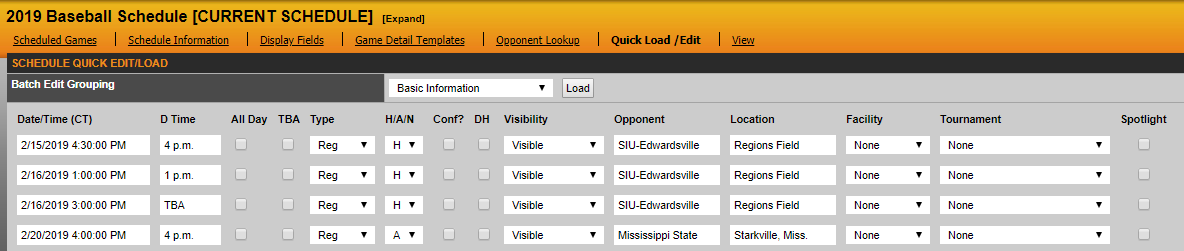
The Basic Information option allows you to edit basic information for each contest.
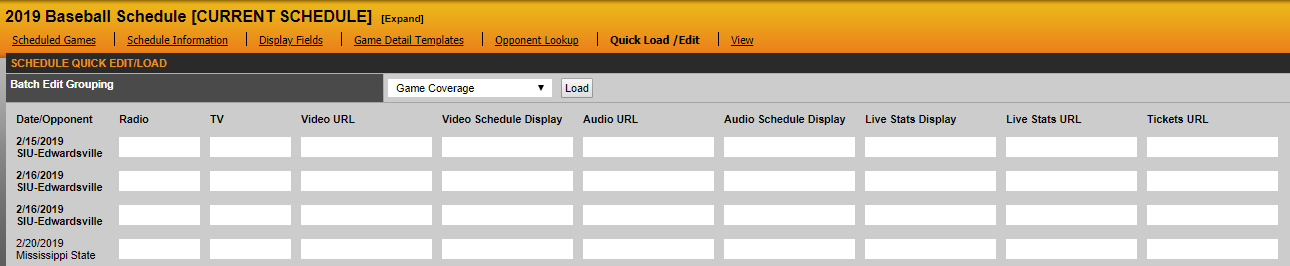
The Game Coverage option allows you to enter game coverage information for each game.
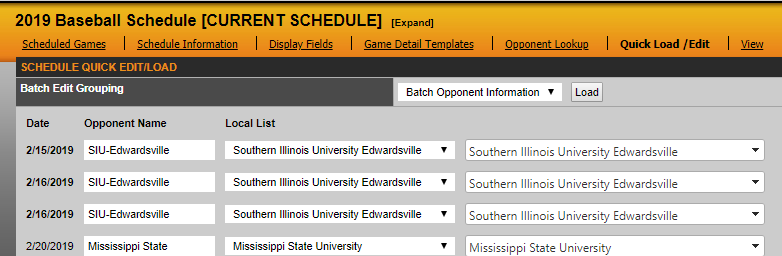
The Batch Opponent Information option is the same as the Opponent Lookup tab. Here, you are able to match your opponents on your schedule to either your local list (list of opponents you have played previously) or our global database. When run correctly, most notably your opponent's logo and URL will appear on your schedule page.
The Quick Load New Games option is highlighted here.
Was this article helpful?
That’s Great!
Thank you for your feedback
Sorry! We couldn't be helpful
Thank you for your feedback
Feedback sent
We appreciate your effort and will try to fix the article