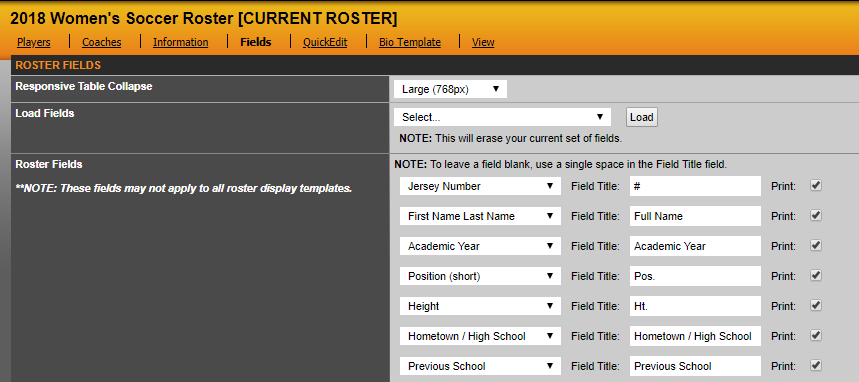
Display fields allow you to choose which fields you want to show in the grid and print friendly versions of your roster. Click the Fields tab on the current roster page. You can choose which fields you want to show and which order you want them to show up in (from left to right). For example, whatever you choose from the top drop down menu will show on the far left of your roster. You can also choose what you want the field to be called. For example, the system stores jersey number but you may want it to say uniform number. You can also choose a Custom Field to create your own field that might not be applicable to other sports. For example, you can choose Custom Field 1 and have the field title be bats/throws for a baseball or softball roster, which you would not need to have for other sports. Once you have entered in the information, click Update Fields to save the information.
For roster fields to display on the roster when printed, the print box to the right of the field title will need to be checked.
Was this article helpful?
That’s Great!
Thank you for your feedback
Sorry! We couldn't be helpful
Thank you for your feedback
Feedback sent
We appreciate your effort and will try to fix the article