To add a link to one of the sections on your sports landing page, choose team from the sport navigation dropdown and hit the search button to the right of that dropdown.
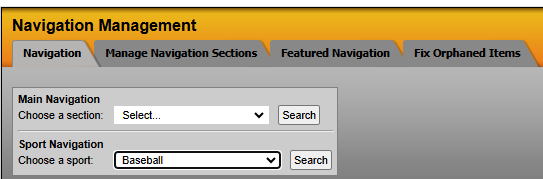
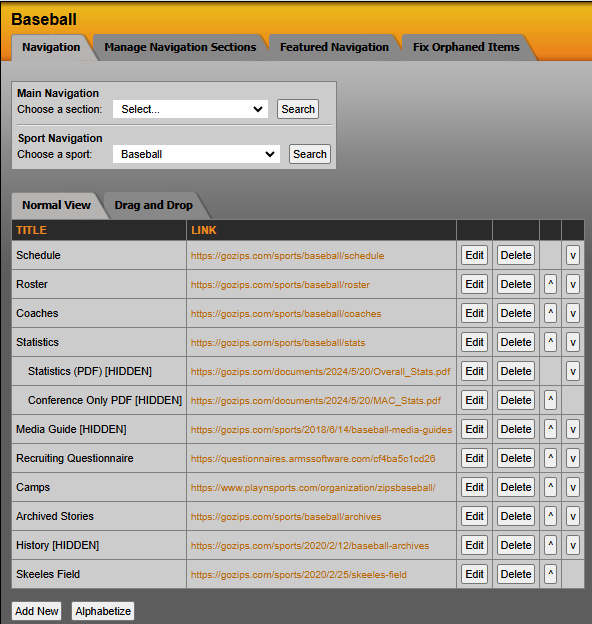
This will load the full list of links currently on the site. Scroll to the bottom of the list and hit the 'Add New' button.
This loads the Navigation Item Information box where you will create the link.
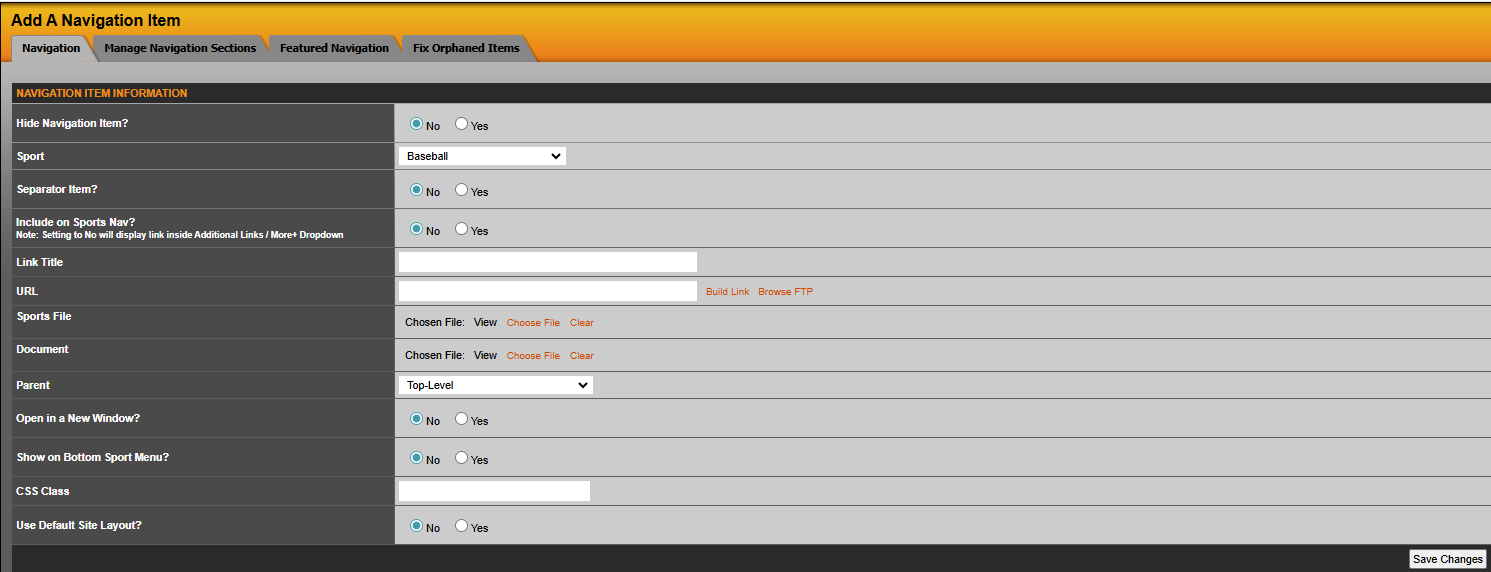
Hide Navigation Item: Selecting 'Yes' will hide this link from appearing on the front end of the website.
Sport: This will default to the Sport you chose to add the link to, but could be used if looking to move an existing link to a new sport.
Separator Item: Select 'Yes' if you want this to serve as a separator item or a category header such as "Men's Sports". This will not require a URL.
Include on Sports Nav: Selecting 'Yes' will show this as a main selection item. Selecting 'No' will show this in Additional Links.
In SIDEARM you always have five options to link an item: 1. URL, 2. Build Link, 3. Browse FTP, 4. Sports File and 5. Document.
URL: In this box, you can paste any URL, either internal or external. Note: Remember when pasting an external link to include the https:// otherwise it will treat as an internal link.
Build Link: This option will allow you to easily link to content built within SIDEARM. Use the dropdown menus to filter through to the link you want and when ready, hit 'Build Link'.
Browse FTP: This option will let you search the site's FTP for any files you wish to link.
Sports File: This option will let you search through any Sport Files you have crated to choose as the link.
Documents: This option will let you search through any documents you have uploaded to SIDEARM and choose as the link.
Parent: If your site design features a traditional sidebar, you can use this to create sub-navigation items.
Open in a New Window: Selecting 'Yes' will have this link open in a new window or tab when a person clicks on it.
Was this article helpful?
That’s Great!
Thank you for your feedback
Sorry! We couldn't be helpful
Thank you for your feedback
Feedback sent
We appreciate your effort and will try to fix the article