For clients that want to display their HTML stats on their site, they can uploaded their HTML files onto their Static FTP and then link to those on their site. if you are unsure of your static ftp credentials, please reach out to SIDEARM support and they'll be happy to assist!
Dumping Stats onto FTP
Once you generate your HTML files using your stats program you should connect to your FTP using an FTP client (Filezilla)
Once you're logged in you'll see the folders/files on your FTP in the bottom right.
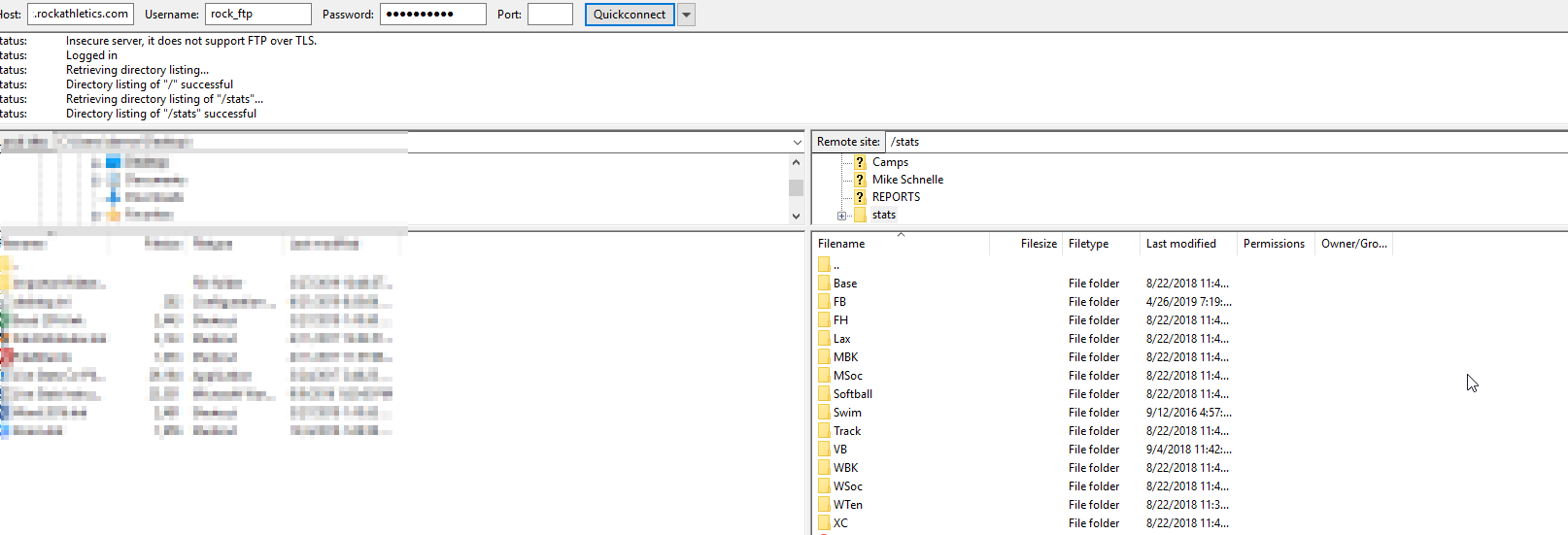
Now you'll need to create a folder/directory to place the HTML files into. This is up to your preference but to keep things clean we would suggest creating an initial folder called "stats" and then creating sub-folders for each sport that you'll be adding HTML stats to.
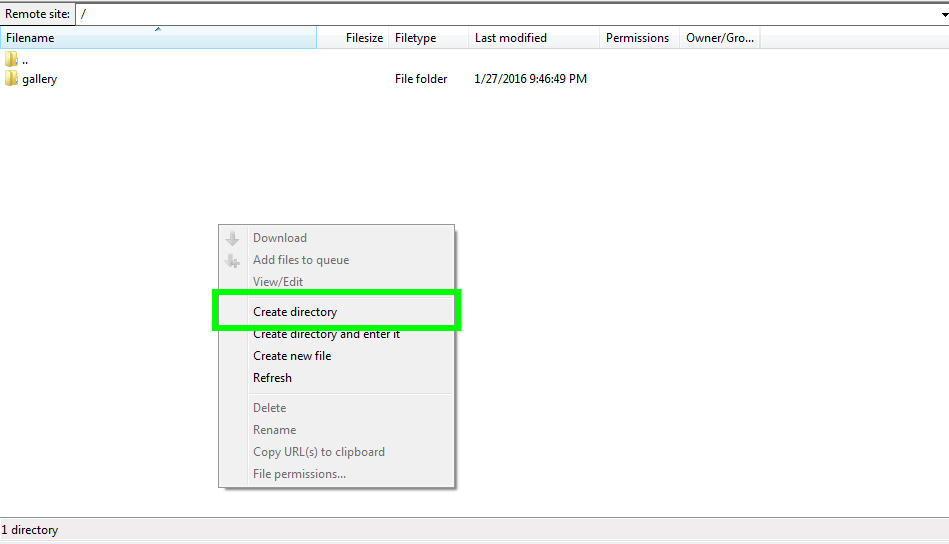
To create a new folder/directory you'll simply right-click and select "Create directory".
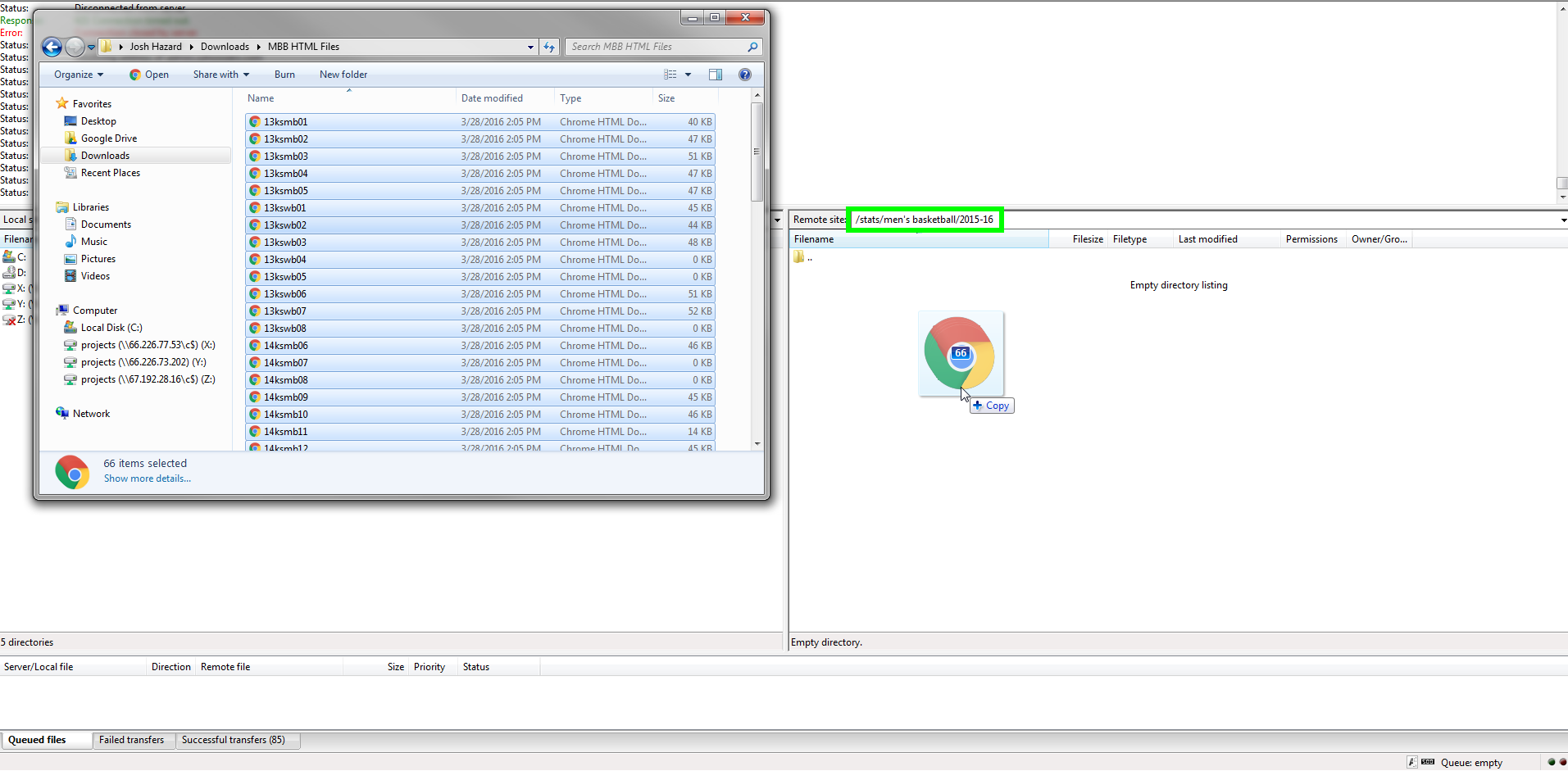
Once you create your "stats" folder and then your sport sub-folders, you can simply drag and drop the HTML files that you want from your computer into the newly created FTP folder.
Linking the HTML Stats to Your Site
Once you've dumped the HTML stats onto your FTP you'll need to link them onto your site.
There are several places that clients link up their HTML stats. You might create a direct link in your sports secondary navigation or you might create a sport file to act as a past stats archive landing page.
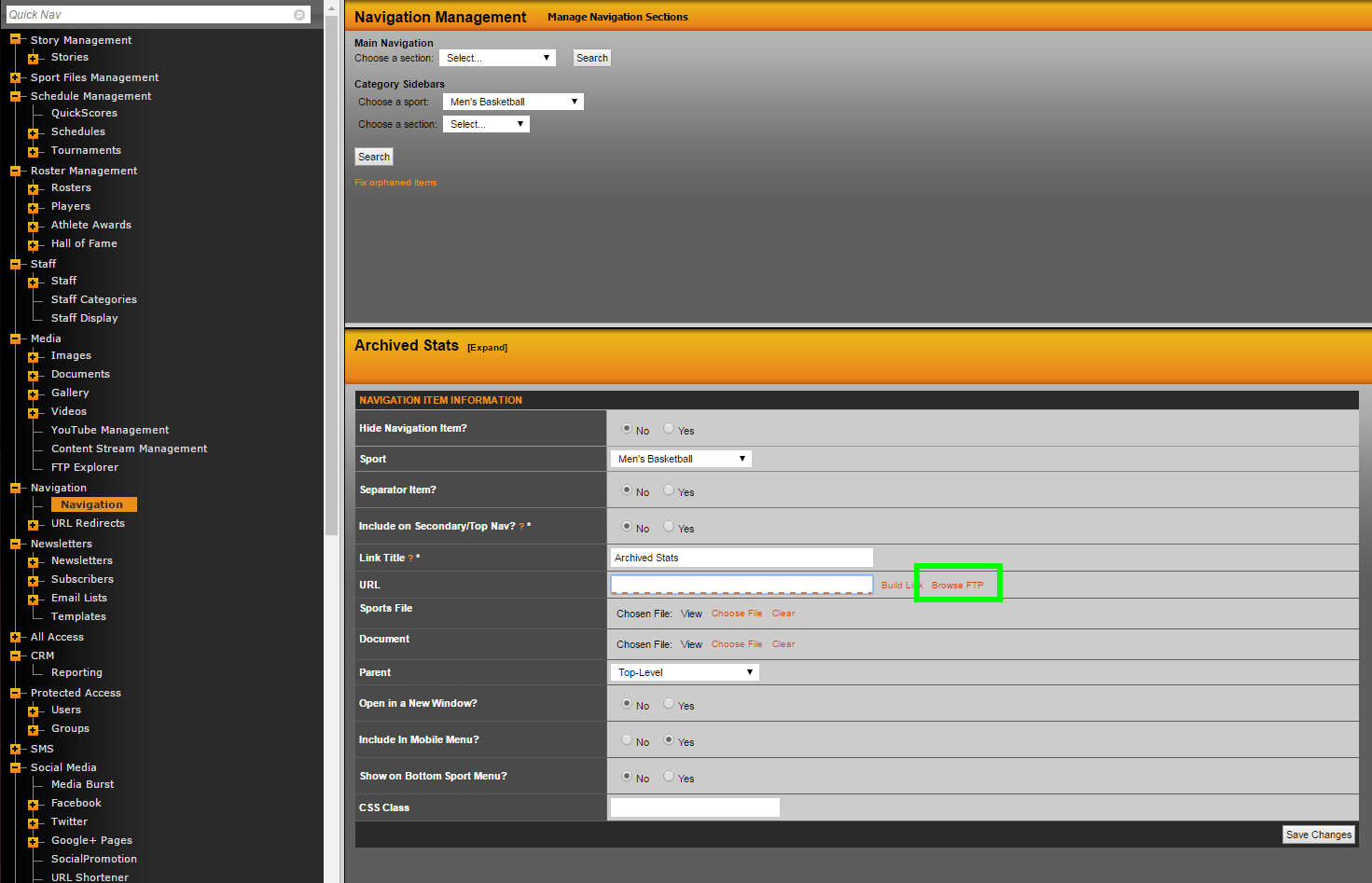
Regardless of where you want the HTML stats to be accessible from you'll use the Browse FTP option to search your FTP to easily select/link to your HTML stats.
If adding a link to your sports secondary navigation you'll go to Navigation on the backend and select the sport from the Category Sidebars dropdown. Once your create your new link or edit an existing one you'll see an option for Browse FTP.
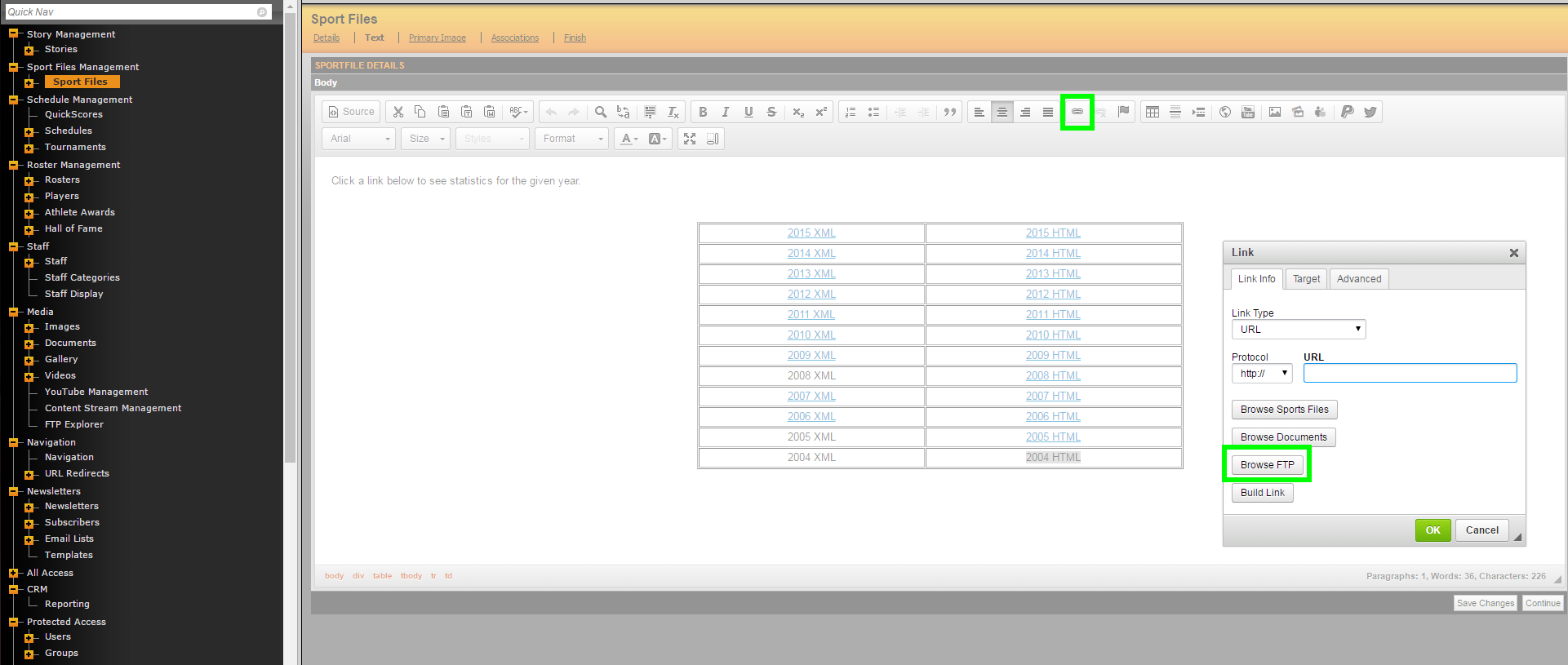
If adding a link to a sport file you'll use the hyperlink option and then select Browse FTP to search for the HTML file on your FTP.
TIPS/TRICKS
- Once you've gone through the process of adding your HTML files to your FTP once, we suggest dragging all of the HTML files over every time you generate new HTML files, simply replacing all of the existing files, to make sure that everything continues to link properly.
- Most clients will link to the "teamstat.htm" file as their HTML stats "homepage".
Was this article helpful?
That’s Great!
Thank you for your feedback
Sorry! We couldn't be helpful
Thank you for your feedback
Feedback sent
We appreciate your effort and will try to fix the article