Adding a Win/Loss/Tie Result
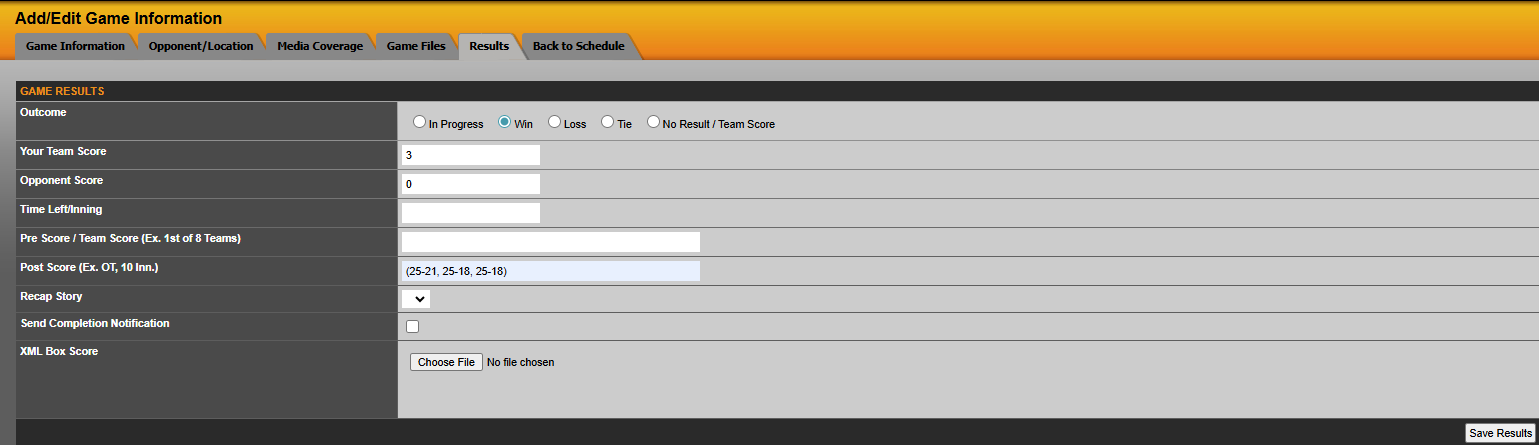
To add a result for a game that ended in a win, loss or tie, navigate to results tab of game, select the appropriate radio button at the top of the screen (win/loss/tie) and then type in the your and and your opponent's score below that. In case the game went into extra innings or overtime, this information can be placed into the Post Score Box. Additionally, like our example below, you can enter volleyball individual set scores into the Post Score Box as well.
To see how to upload a XML Box Score, Click Here
Adding a Team Score or Text Based Result ("No Result/No Team Score")
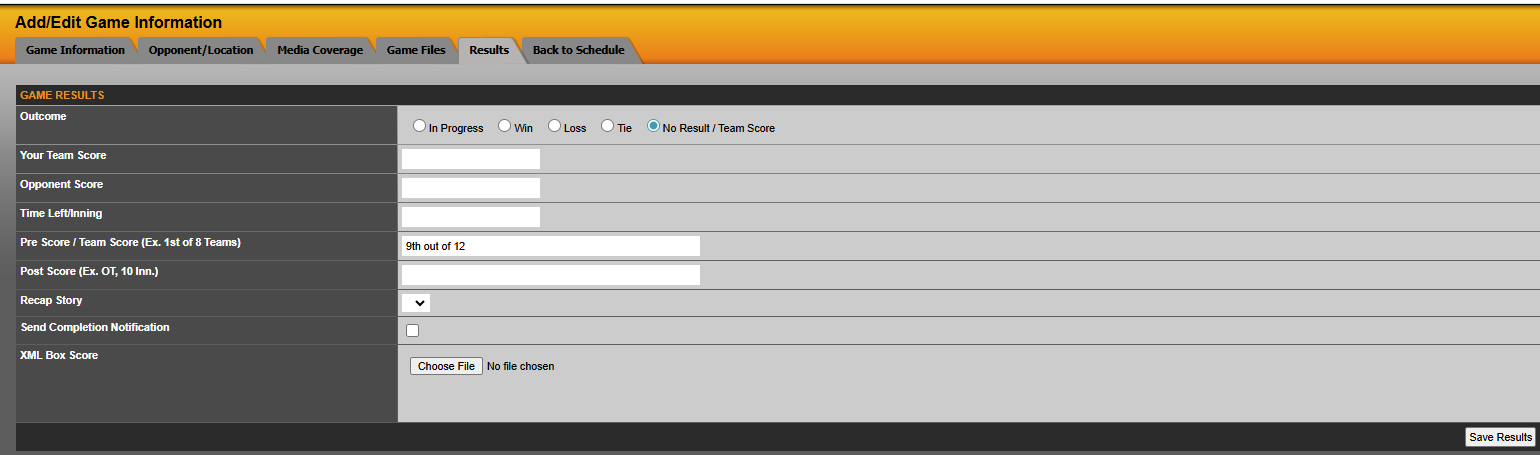
To add a result for a game that has a Team Score such as Cross Country or a Swimming meet, you will want to click on the No Result / No Team Score option as seen below. Then enter the result into the Pre Score / No Display Info box. This box will allow you to type in any sort of text to convey the result.
Was this article helpful?
That’s Great!
Thank you for your feedback
Sorry! We couldn't be helpful
Thank you for your feedback
Feedback sent
We appreciate your effort and will try to fix the article