In the scenario in which there are two listings for the same athlete (see below), the likely cause is that there is at least one game file in which the player checkname is listed differently than in the other game files. This can occur when opposing teams do not use your Stat Crew Roster, or if there are game files from multiple different stat programs (Stat Crew, Genius, Presto, Dak Stats, etc.). Our XML stats system assigns the stats to players based on the checkname in the game-by-game xml files and it is important that they are universal throughout the season for each athlete.
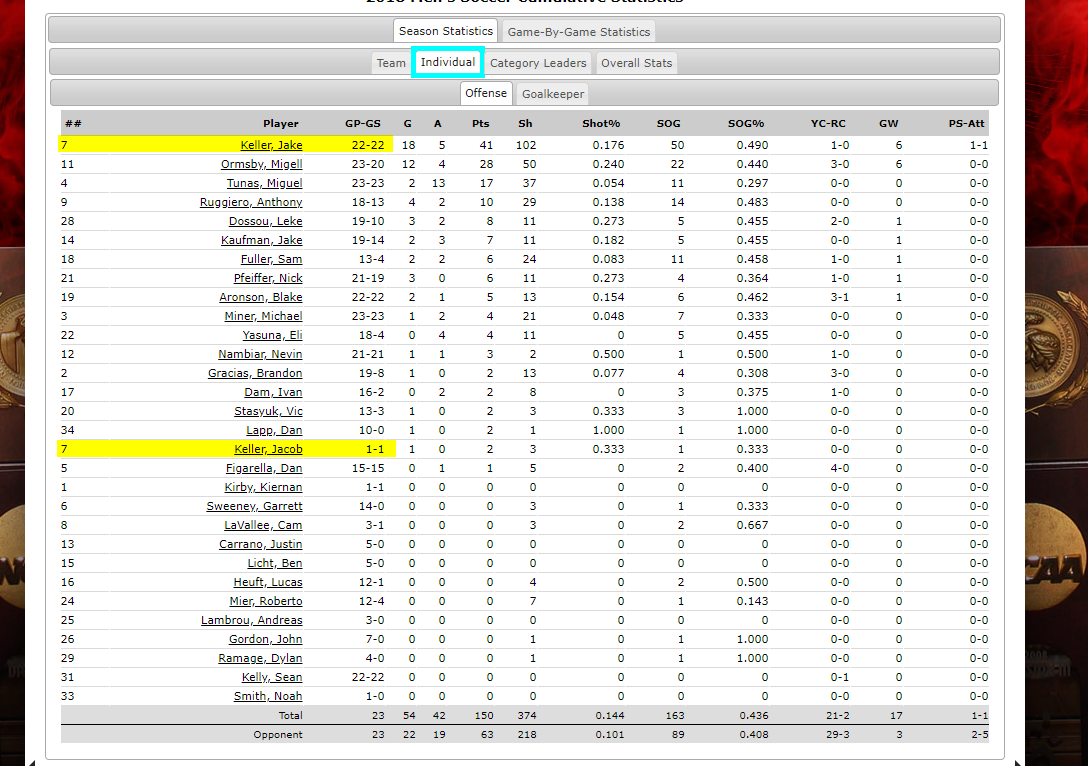
The first step to find the file with the error will be to click on the player listing with more games. This will pull up a list of games that this specific player has played in over the course of the season. Compare the game list to the season schedule, and find the missing contest. If the student-athlete played in the missing contest, then that game file will need to be updated.
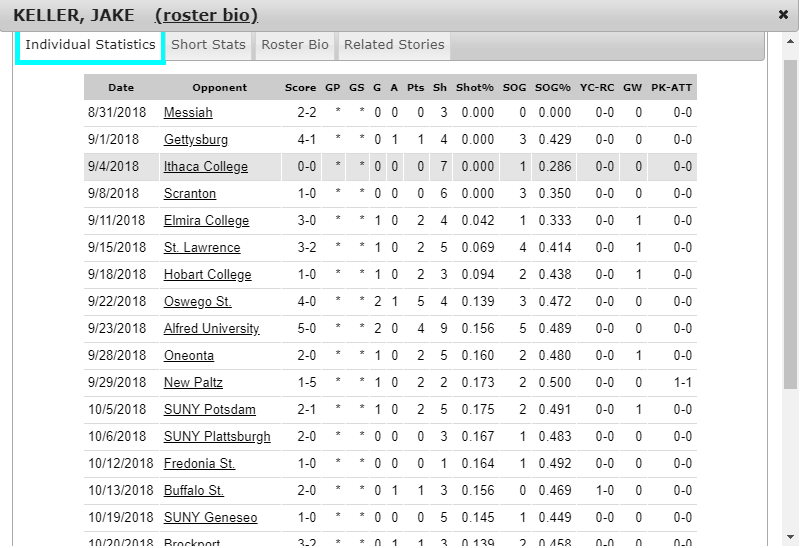
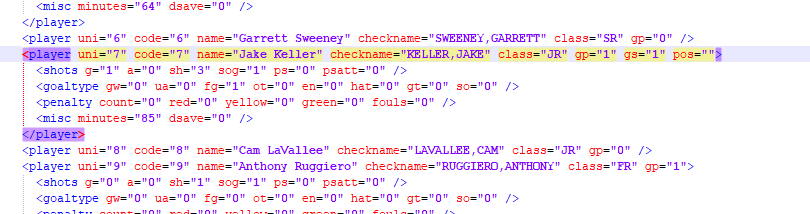
From here, you'll need to pull up the proper stat listing (other game file in Notepad) and compare it to the incorrect listed in the skewed game file.
Proper:
Skewed:
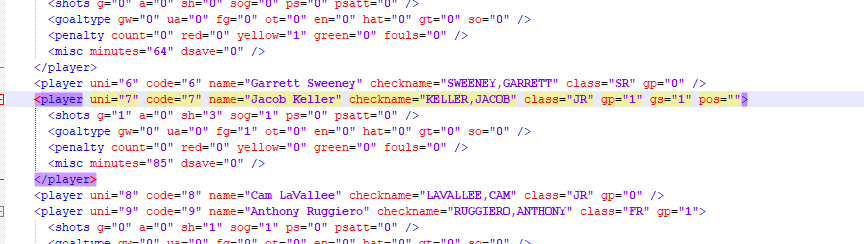
Updated the skewed file accordingly, save changes and re-upload the xml file to the site to adjust the cumulative stats page. The missing game file will then be added to the stats page.

Was this article helpful?
That’s Great!
Thank you for your feedback
Sorry! We couldn't be helpful
Thank you for your feedback
Feedback sent
We appreciate your effort and will try to fix the article