All sites have a /subscribe.aspx page available for fans/users to sign-up to receive newsletters.
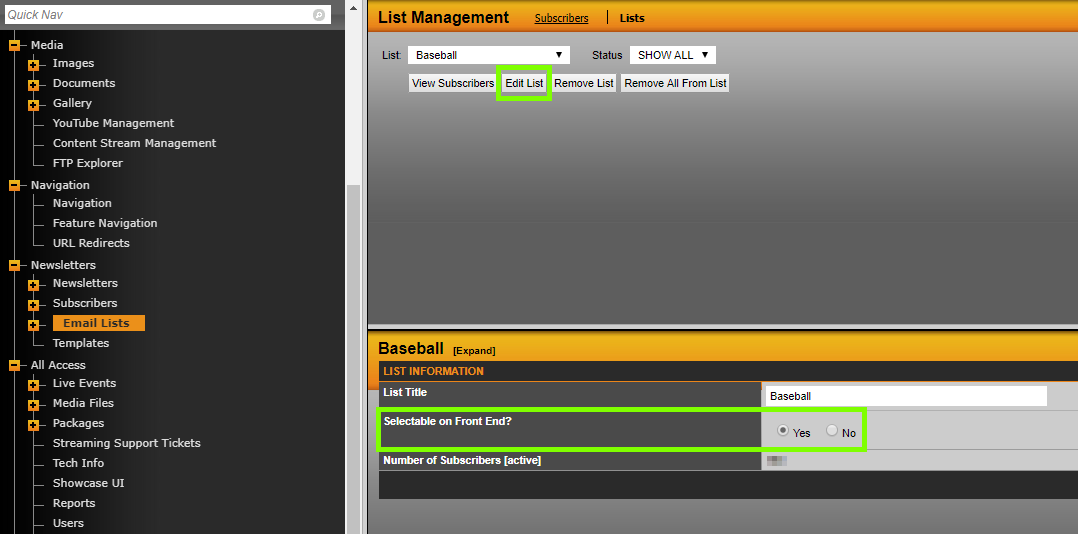
To display your Emails Lists on the /subscribe.aspx page, edit the list on the admin side of the site and mark "Yes" for the "Selectable on Front End?" field. See below for what that looks like.
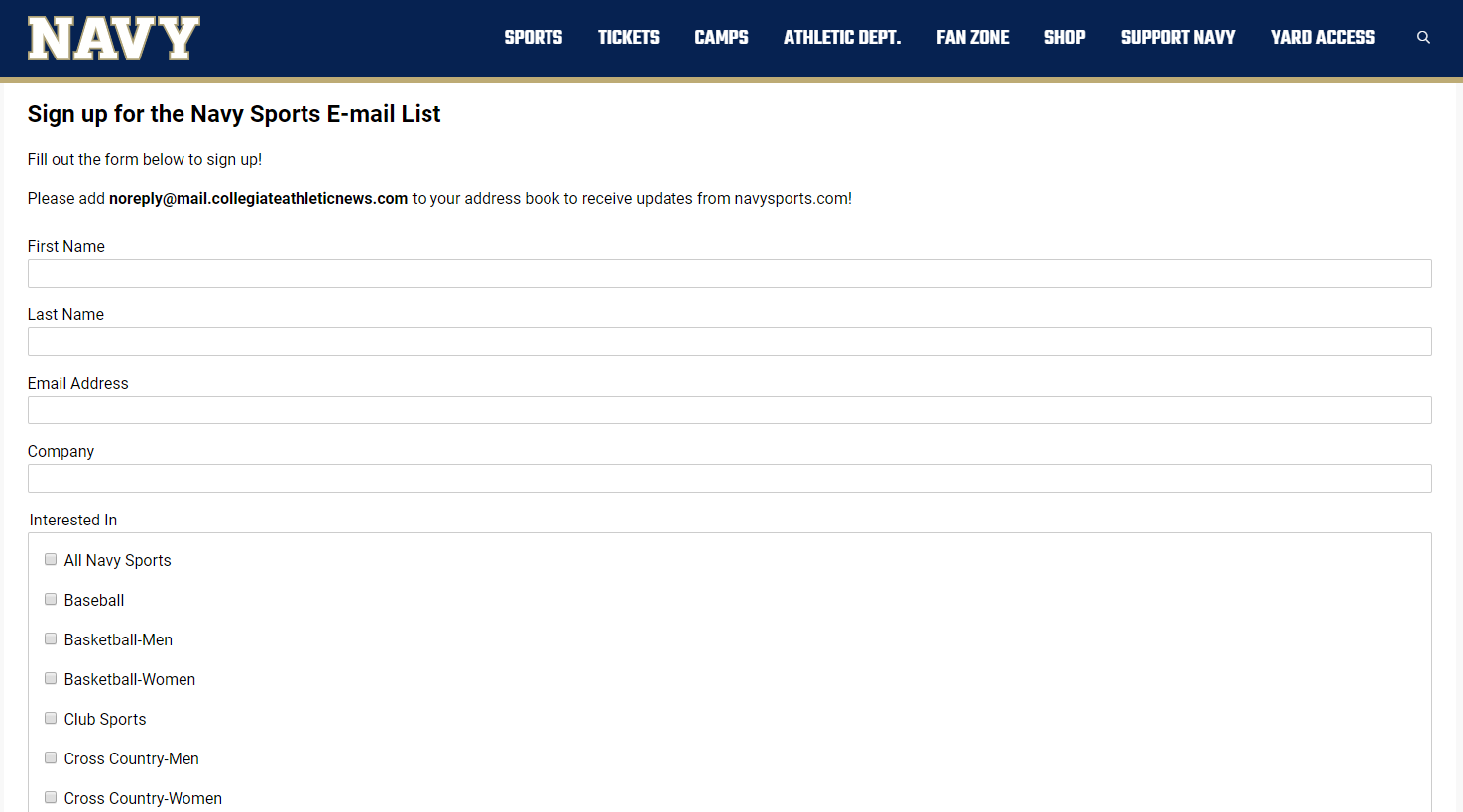
On the live site, users will be able to enter their information and select any of the email lists that you've setup and made selectable on the front end. The example below can be seen live here: https://navysports.com/subscribe.aspx
NOTE:
You can adjust the title of the /subscribe.aspx page in Site Settings. Select "Blast Email Settings" from the drop down and you can update the "Newsletter Name" field.
Was this article helpful?
That’s Great!
Thank you for your feedback
Sorry! We couldn't be helpful
Thank you for your feedback
Feedback sent
We appreciate your effort and will try to fix the article