If you run into an instance in which you have multiple Facebook fan pages associated to a main user account, and all of the pages are not pulling into the CMS, there are a few things to check.
You will first want to follow the steps on this page to ensure that your account does have the proper admin access that Facebook now requires.
Connecting Facebook/Instagram onto SIDEARM Sites
If your page still doesn't become available in the Sidearm admin, you can then check the following settings on Facebook as well.
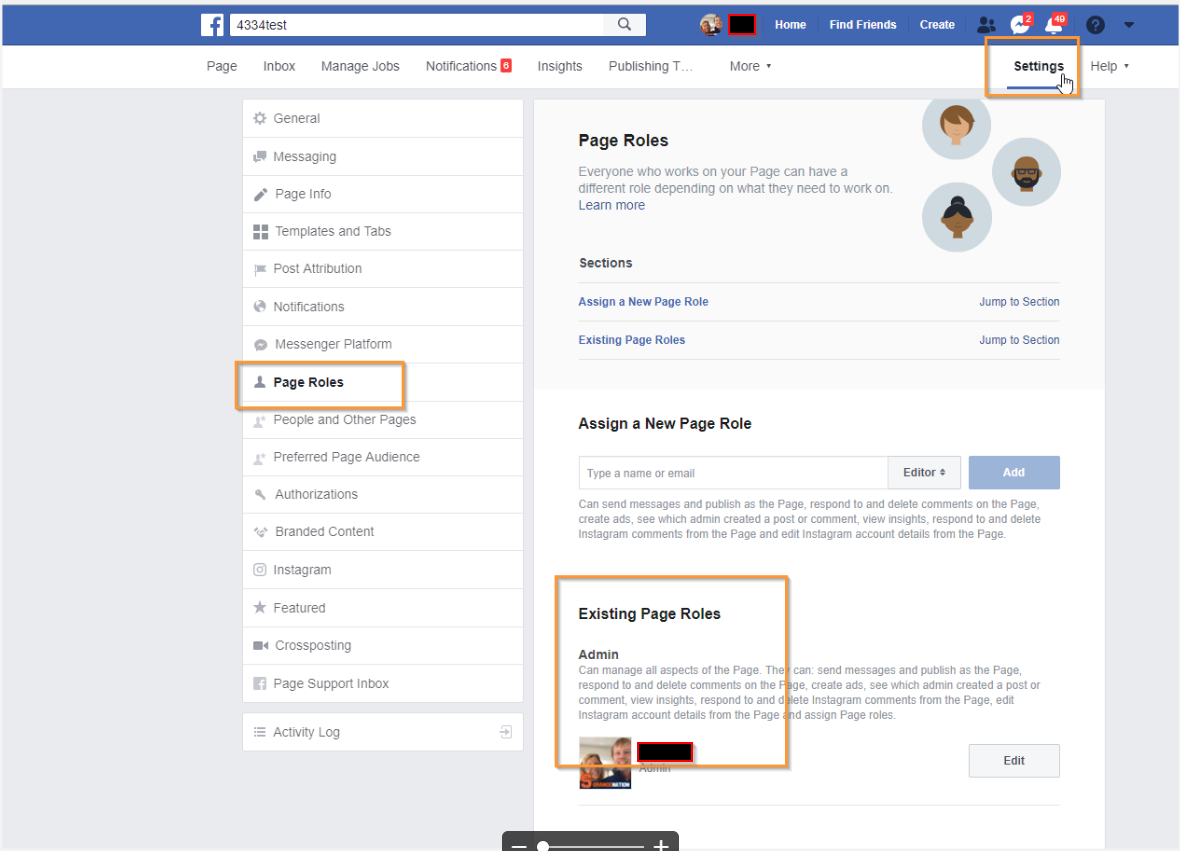
1.) Does the Facebook page account have "Admin" access?
-This can be checked on the Facebook side of things on each Fan page. Once on the fan page, click on Settings->Page Roles->ensure that the main user account is setup to have admin access.
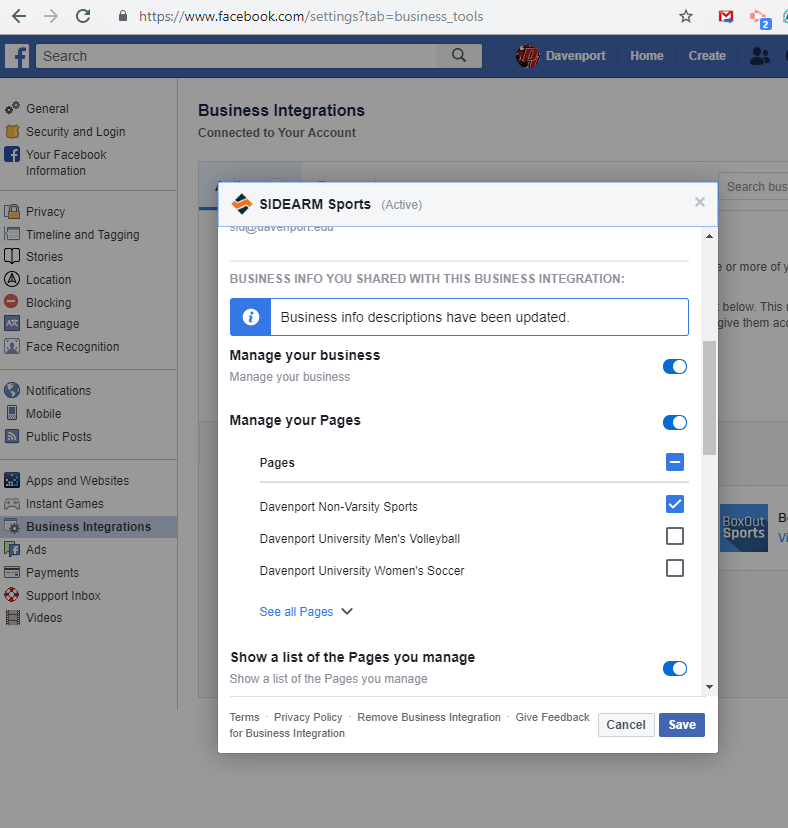
2.) Are the individual fan pages setup as business integrations?
-In order for the fan pages to be pulled into the CMS, they must be setup as business accounts connected to the main user account. This can be accomplished under the settings->business integrations page. Each account that is checked (see below) will be pulled into the CMS when the "Add User's Pages" box is checked.
Was this article helpful?
That’s Great!
Thank you for your feedback
Sorry! We couldn't be helpful
Thank you for your feedback
Feedback sent
We appreciate your effort and will try to fix the article